
Screenshots
About Gandr — A photo collage maker without limits
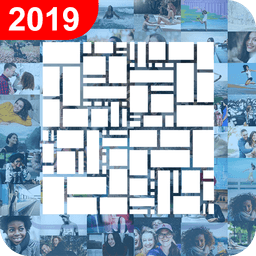
Create stunning photo collages with unlimited photos using Gandr — A photo collage maker without limits. Select as many images as you want from your gallery—whether it's 50, 100, 200, or more—and watch as your photos intelligently arrange themselves into beautifully balanced layouts in real time. No complicated steps, no learning curve. Simply pick your images and let the app handle the creative heavy lifting.
Customize your collage to match your vision with a full suite of editing tools. Choose from 10 different aspect ratios in both landscape and portrait orientations to suit any purpose. Switch between grid, brick, or Gandr's signature adaptive layout with a single tap. Add polished finishing touches like borders, background colors, and rounded photo corners with adjustable border radius. Layer text directly over your creation and rotate, zoom, or reposition it exactly as you like. Every element bends to your creative will.
Print-quality output is guaranteed with 300 dpi resolution and support for massive high-resolution saves up to 10,000 x 10,000 pixels. Your digital masterpiece becomes a stunning physical print on posters, canvas, or any large format surface without losing a single detail. Whether you're preserving family memories, showcasing travel highlights, or building content for social media, your collage will look exceptional every way you share it.
Export your finished collage directly to your device or share instantly to your favorite social media networks. No accounts, no signups, no friction—just open the app and start creating immediately. The intuitive interface makes photo collage making accessible to everyone, from casual users creating quick keepsakes to creative professionals building polished visual stories. Gandr — A photo collage maker without limits puts unlimited creative potential in your hands.
Pros & Cons
Pros
- Handles 50+ photos seamlessly with intelligent real-time layout arrangement
- Supports print-quality 300 dpi output up to 10,000 x 10,000 pixels
- Full customization with text, borders, rounded corners, and multiple layout styles
- No account or sign-up required to start creating immediately
Cons
- Loading and processing very large photo batches may consume significant device memory
- High-resolution exports up to 10,000 x 10,000 pixels will use substantial storage space
- Adaptive layout algorithm may not always match user's specific creative vision
- No mention of cloud backup or cross-device project syncing
Related Apps

GIMP
Open-source photo editor and digital art studio with professional tools for retouching and illustration.

Paint.NET
Free photo editing software with layers, effects, and unlimited undo for Windows.

Photoscape
Photo editor with viewer, collage maker, GIF creator, and batch tools—all in one free app.

3D Emoji Face Camera
KEVIN STUDIO
3D emoji face camera with live filters and animated effects. Create fun selfies instantly.

Profile Picture Downloader HD
helalik
Download Instagram profile pictures in HD — no login required, view and save instantly.
Beauty Camera Plus
Photo Created
Photo editor with beauty filters for selfies, portraits, and real-time enhancement — free download.
Latest Articles
Best AI computer-use agent apps for desktop in 2026 (we tested 7)
Jul 10, 2026
Best apps for a fresh Linux install in 2026 (7 picks the first hour)
Jul 10, 2026
Best apps for AI coding agent sandboxing on desktop in 2026 (we tested 7)
Jul 10, 2026

Best apps for detecting AI-generated images on Android in 2026 (we tested 7)
Jul 10, 2026
Best apps for detecting AI-generated images on desktop in 2026 (we tested 8)
Jul 10, 2026